After setting up the power supply, it's time to program the chip ATtiny45, by using the home made parallel port dongle taken from this fellow. Didn't follow exactly, things not included in my circuit, R1-R6, R10, R18, R19.
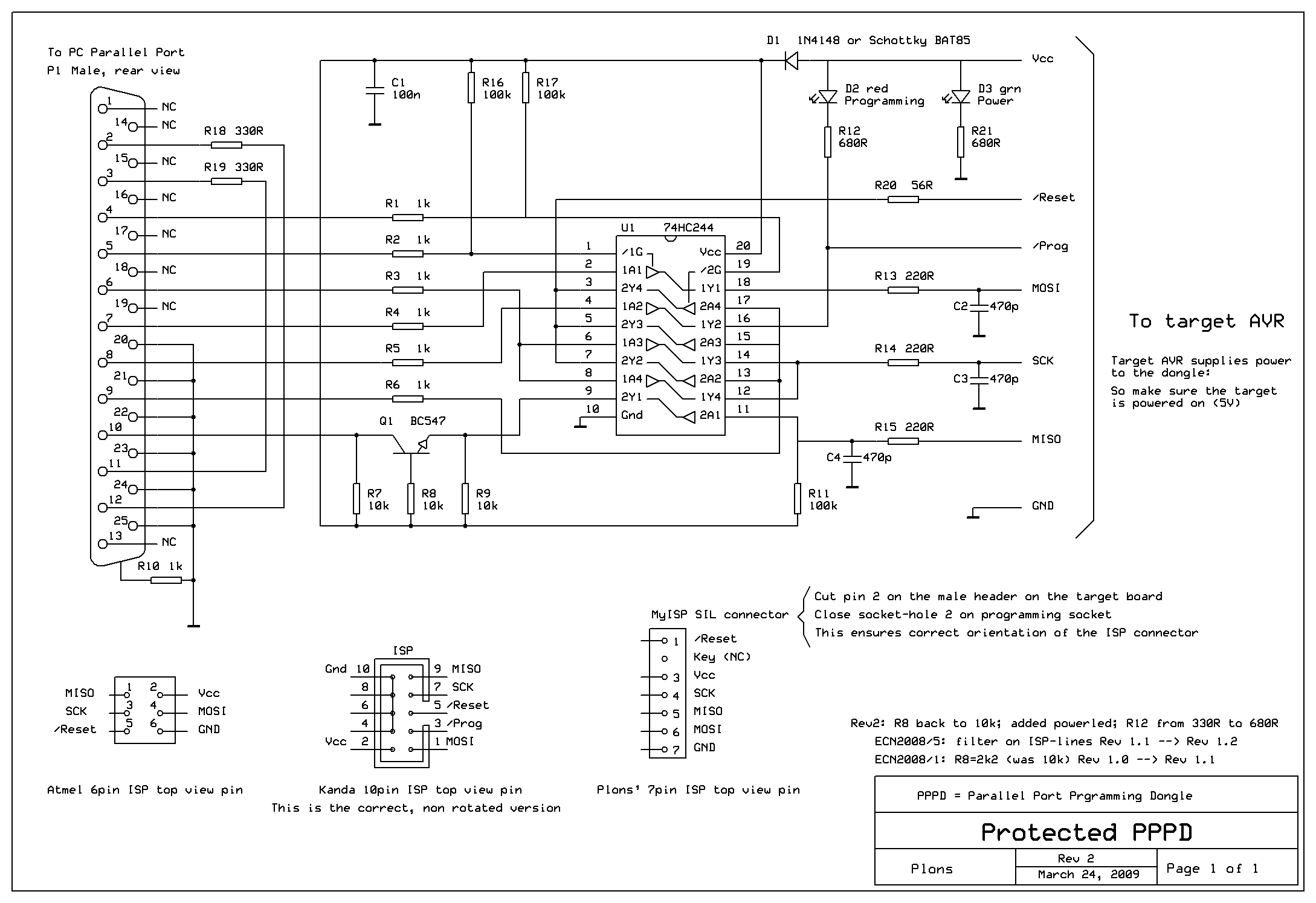
With all the resistor and capacitor around, it adds protection to the computer parallel port and reduces the noise on the lines. This is very important the parallel port needs synchronization to send multiple bits at a time, the noise makes it un synchronize and the programming fail.
Start AVRstudio4, build the c.file to hex. file, open up Ponyprog, set interface setup, power up the board, click Program....
and: "device missing/unknown device (-24)"

Ok, so more troubleshooting.
List of things done:
1. check power supply, is it supplying 5 volts? checked.
2. check functionality of parallel port using a software called LPT.
3. Installed giveio.
4. Changed parallel port setting in BIOS to Bi-direction, EEP or ECP. No difference.
5. Changed port address from LPT1 to LPT2, and later found out that this wasn't the reason, coz if it was a wrong address, I should get :"communication port not available"
6. Double checked connections of circuit
7. triple checked connections of circuit.

Problems caused by messy connection? There is a possibility!
What I had in mind "ok my connections should be correct! The led is blinking at the beginning! should be some problem in the settings!" and so I started to play around with the software settings.Attempts and Results:
Clicked "write all" got msg "device missing/unknown device (-24)", clicked "ignore" a few times, writing proceeded till 100% and "writing failed"
Clicked "read all" got msg "device missing/unknown device (-24)", clicked "ignore" a few times, reading proceeded till 100% but this is just a meaningless action.
Changed PonyProg config, by adding the delay time as suggested in README's FAQ, and still unsuccessful in programming.
***** took a break from all these problems *****
Hmm, is the parallel cable working, could it be disconnected?
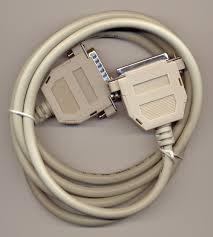 A simple connectivity test was done and, it was conclude that it wasn't a parallel extension cable instead it was some kind of converter.
 See the connections are all mixed up!, what I needed was all the connections straight!!!
I assume it to be a parallel extension cable! For this kind of mistake, I deserve a BOINK on my head!
Day 2 end.
A simple connectivity test was done and, it was conclude that it wasn't a parallel extension cable instead it was some kind of converter.See the connections are all mixed up!, what I needed was all the connections straight!!!I assume it to be a parallel extension cable! For this kind of mistake, I deserve a BOINK on my head!
Day 2 end.


No comments:
Post a Comment